Build a better library website. Visually.
Design polished Koha OPAC content with TinyMCE, Bootstrap building blocks, responsive previews, and one-click publishing—all from the staff interface.
Designed by Lightwave Library · For Koha administrators and library staff
More design, less HTML
Use ready-made layouts or edit the markup yourself. Create homepage blocks, banners, cards, and more while keeping Koha at the center of the workflow.
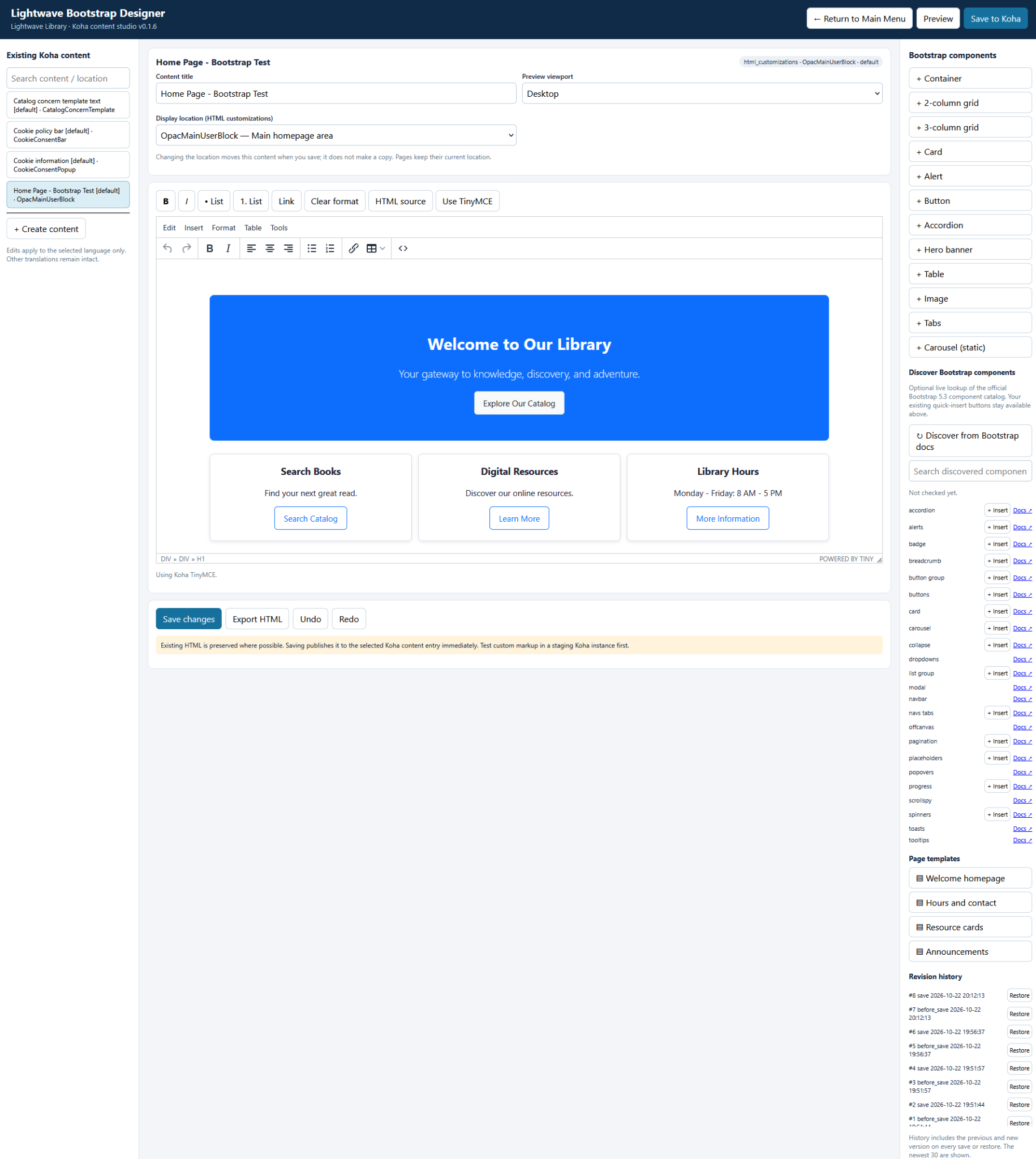
Visual TinyMCE editor
Edit text, links and layouts through Koha's TinyMCE integration; switch to HTML source when you want fine-grained control.
Ready-made Bootstrap elements
Insert containers, columns, cards, buttons, alerts, accordions, tables, tabs, banners and more in one click.
Component discovery
Explore Bootstrap 5.3 documentation with searchable examples and insertion shortcuts. An offline catalog remains available.
Responsive previews
Preview desktop, tablet and mobile layouts before publishing. Preview styling is approximate and may differ from a customized OPAC theme.
Koha content integration
Open and edit existing HTML customizations and Koha pages; choose where new content appears, including the OPAC homepage.
Revision history
Review saved versions and restore earlier content. Export HTML for an extra backup or reuse it elsewhere.
From editing to a live Koha homepage
Actual screenshots from a working Koha test installation. Select an image to enlarge it.
Install through Koha's plugin manager
No core template modifications required for the standard additional-content workflow.
Get the KPZ
Download the plugin package and keep a database backup before trying it in a Koha instance.
Manage plugins
Go to Koha staff administration → Manage plugins and upload the KPZ. Your Koha configuration must permit plugins.
Edit and publish
Open Run tool or Configure, create or select an entry, design your content, preview, and save to Koha.
Give your Koha homepage a fresh look.
Get the Lightwave Bootstrap Designer installer, explore components and turn ideas into polished library pages.